How to start?
Getting started with the Good Coach App
Whether you are a coach looking to improve the impact of your work with athletes, create better workout plans and have access to more athlete training data, or an athlete looking to improve performance, setting up your Good Coach App account is simple.
Both coaches and athletes can register via the mobile or browser app. An account must be created to access and use the Good Coach App features.
For Coaches
- Register via the browser application to access the most functionality.
- Start by adding athletes to your athlete list and begin planning your training sessions.
- Once an athlete has been added to the list, the athlete will receive an email with an activation link. You can also provide them with a special QR code. More on adding athletes
- You can also provide the athlete with your unique invitation link (or QR code), which will allow them to register and quickly connect with you.
- Before starting to create new workout plans, define the activity types.
For Athletes
For athletes, there are the following ways to set up an account:
Invitation from the coach by email
If you receive an email invitation to work with a coach, find the invitation link in that email. Click on this link, and it will take you to our browser application, where you will be guided through the process of connecting with a coach. You won't even notice when your account is ready to proceed. More on coach invitations
QR code from coach or unique link
If you receive a QR code from your coach, you can scan it with your phone. Most phones recognize QR codes and can convert them into links that lead to the invitation page. If you simply received a unique link, click it on your computer or phone to go to the invitation page. You'll see all the invitation details on that page.
Self-registration
You can also register yourself via the browser app or mobile app.
In the self-registration option without the use of a link, you will not be immediately connected to a coach.
However, it will still be possible for the coach to invite you later to train together by means of an invitation in an email or by passing on a special link.
If you create an account yourself, the coach can add you to their list of athletes within seven days using your email address without requiring your additional acceptance. You will be notified about this.
After this period, you will need to accept an invitation from the coach, which you will receive via email, in the form of a QR code, or a unique link.
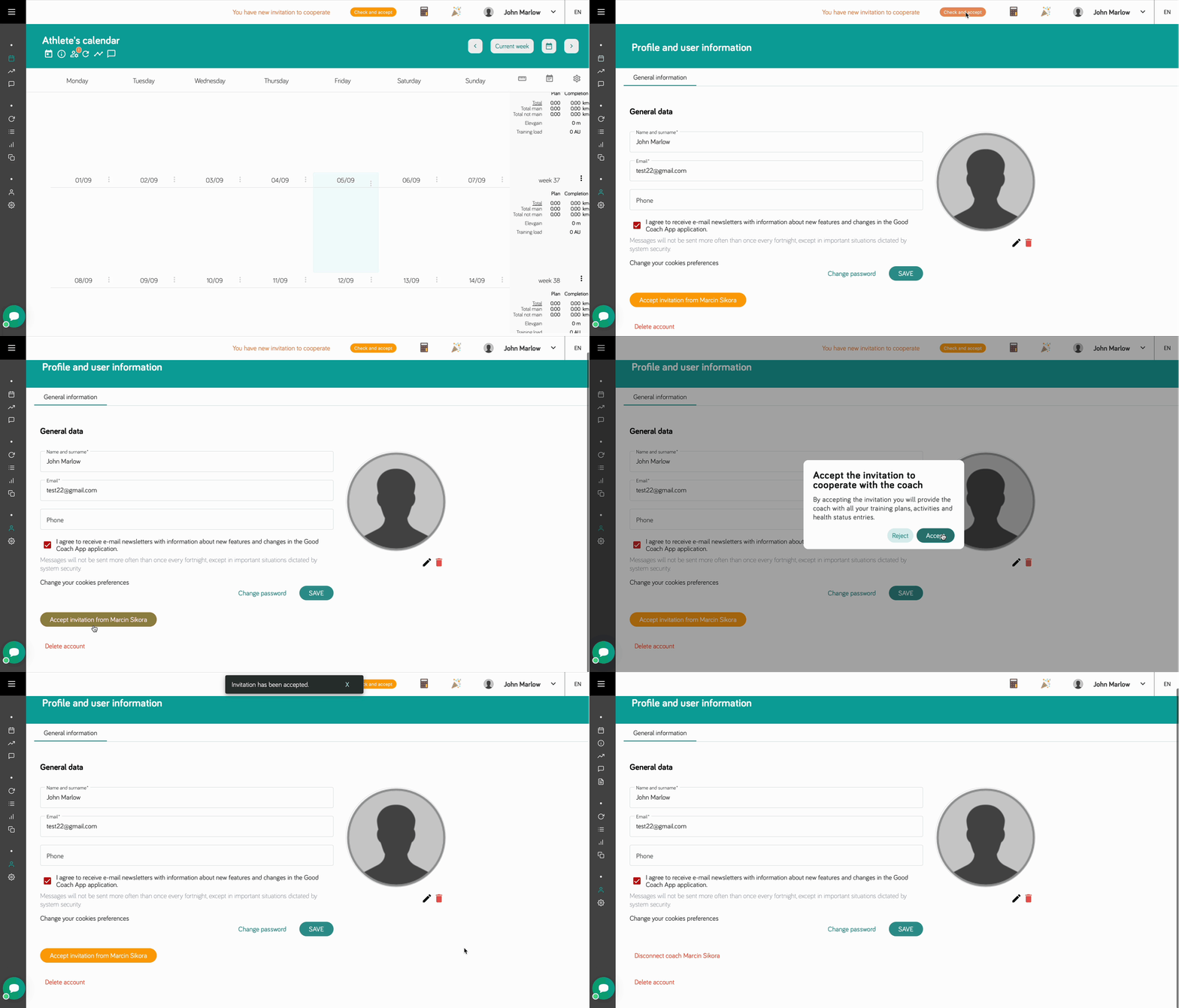
The invitation notification will also appear in the header of the browser application, and you can accept the invitation from your profile.
There is nothing preventing you from being connected and working with two or more coaches.
Main navigation
- Familiarise yourself with the application interface, which has been designed for intuitive and comfortable use.
- Read about integrations with external services. Connecting to these is key to accessing workouts and data from sports watches.
- Discover key features and tools to help you train.
Stay tuned for more sections that will delve into the detailed features and advanced functions of the Good Coach App.