Health
A health status is how the athlete is on a given day: how they feel, how they slept, whether anything hurts, and what their watch measured overnight. There is one per day. The athlete fills it in, the watch adds to it, and the coach reads it.
What the athlete reports
To add one, open the day's menu in the calendar and choose Add health state. It works in the browser and in the mobile app. If your coach has turned on the daily wellness check-in, its four answers start the day's health status for you.
The form asks, in this order:
-
How are you feeling? Pick an emoji. This one is optional.
-
Four scales, one tap each:
Scale From To Fatigue None Exhaustion Pains None Injury Illness No symptoms Strong symptoms Stress None Very high Fatigue, Pains and Illness are required.
-
Sleep (h), how long you slept, and next to it Sleep quality, from Very poor to Very good.
-
Notes on wellbeing: anything your coach should know. You can type it or dictate it.
-
Measurements, folded until you open them: Night min. resting HR, Night avg. resting HR, Daily resting HR, Avg. night HRV and Weight. If one of them already has a value, for example from your watch, the section opens by itself.
Reading the scales
All five scales follow two rules:
- A taller bar means more of what the title names. More fatigue, more pain, and for sleep quality, better sleep.
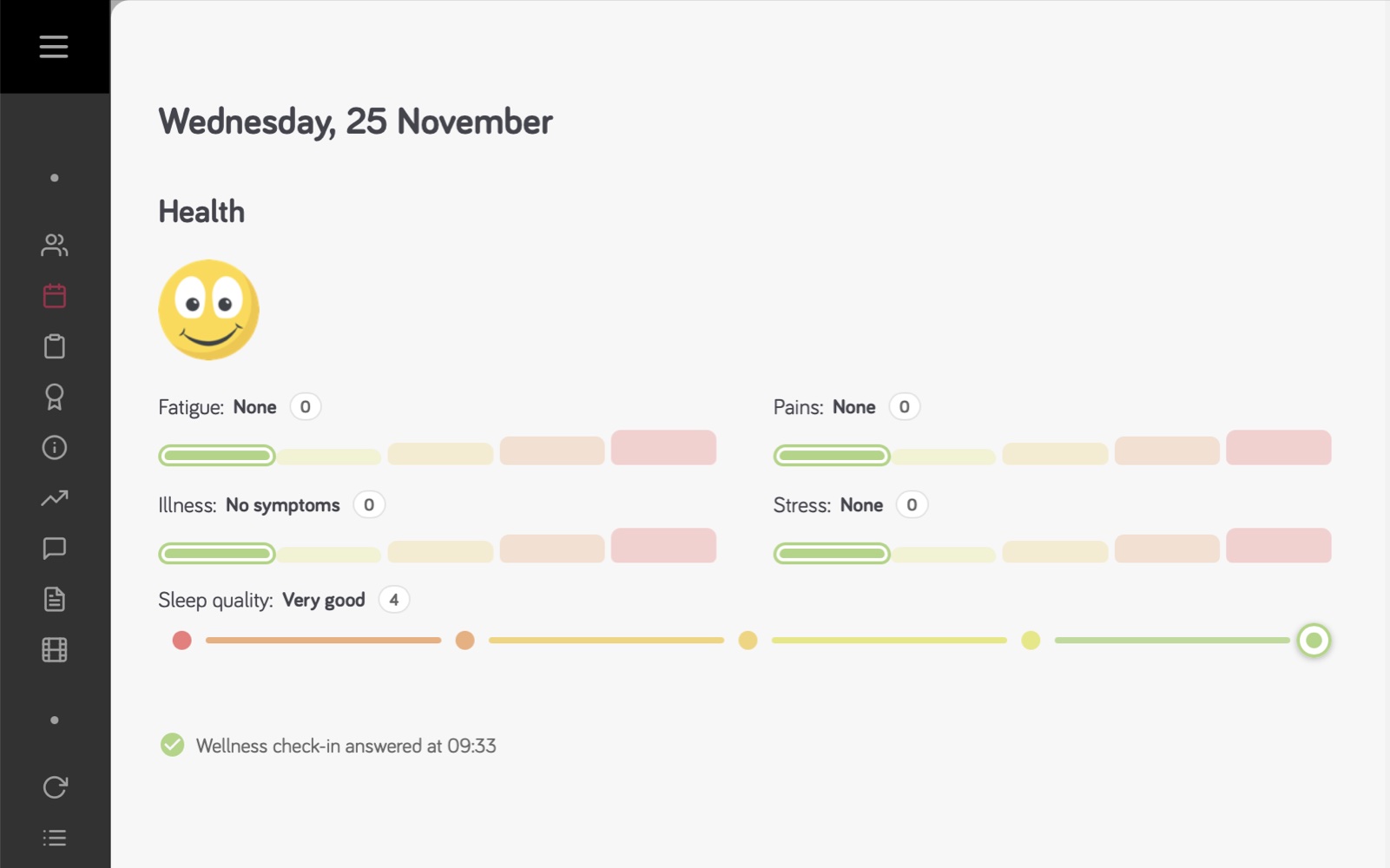
- Green is always good. None on Fatigue is a short green bar, and Very good sleep is the green dot on the right.
Sleep quality is the only question where more is better. That is why it has its own slider with dots instead of bars.
What comes from the watch
With health import switched on, the watch adds what it measured: sleep duration and sleep score, resting heart rate, night HRV, stress level, steps, calories and floors climbed, and, where the watch has one, its own morning reading such as WHOOP Recovery or Garmin Body Battery. It all arrives in the same day's health status.
The watch never fills in the athlete's own answers. It can't tell how much your legs hurt.
What the coach sees
- On the calendar tile: each answer above the best level, by name and in the colour of its bar, for example Fatigue: Big. A day the athlete checked in with nothing to flag says No complaints. A day with only watch data shows no answers.
- In the health status: the athlete's scales exactly as they filled them in, their notes, the measurements and, for a check-in, when it was answered.
The overnight measurements also feed Readiness.