Daily wellness check-in
The daily wellness check-in asks your athletes four quick questions the first time they open the app each day: Sleep quality, Stress, Fatigue and Pains. It takes them a few seconds, and you know how they are before they train, without asking each of them yourself.
Turning it on
It is one setting for the whole club. Open Preferences, go to Coaching preferences, choose a mode under Daily wellness check-in and save that section. Coaches who can change the club's coaching preferences can change it.
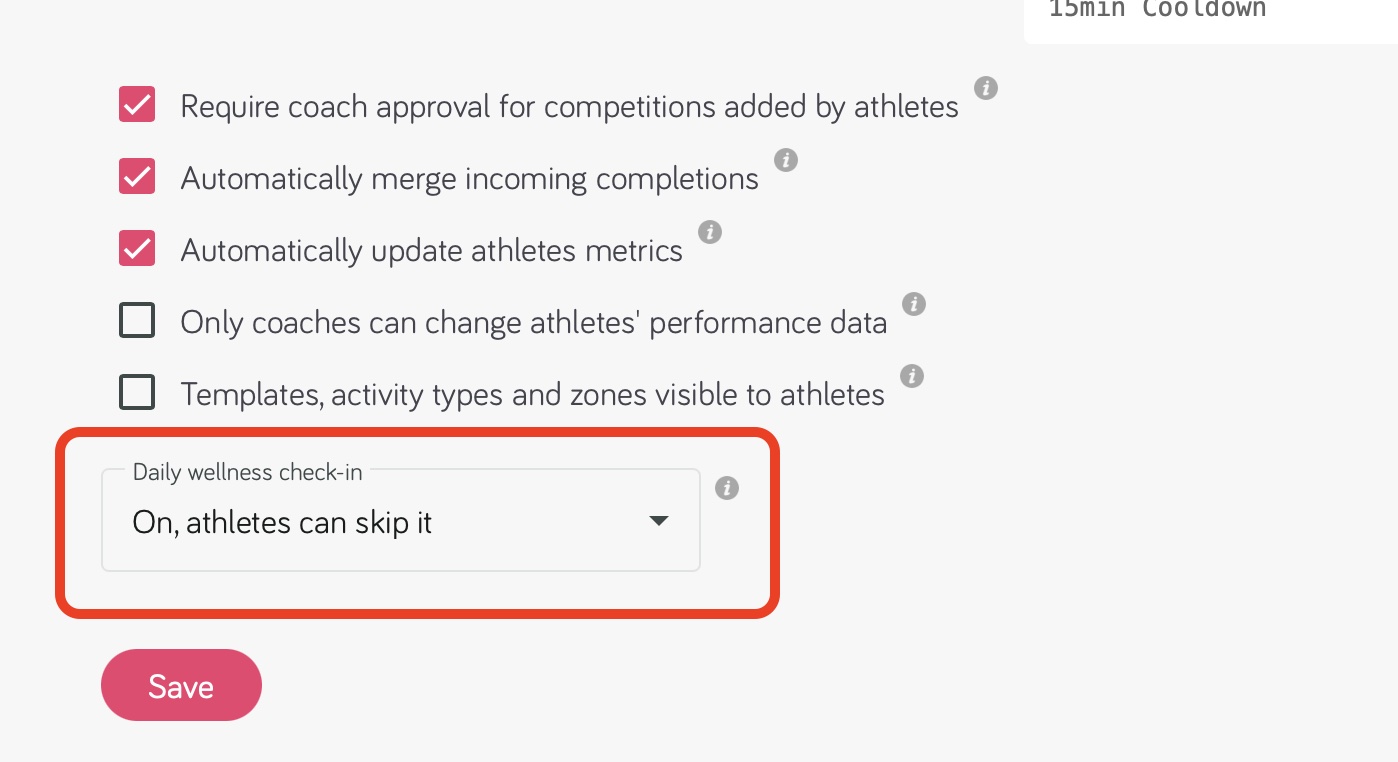
| Mode | What the athlete sees |
|---|---|
| Off | Nothing. This is the default. |
| On, athletes can skip it | The questions, with Later and a close button (✕). Later saves nothing and asks again the next time the athlete comes back to the app. The close button means not again that day. |
| Required | The questions without Later. The athlete answers before moving on. |
An athlete who trains in more than one club gets the strictest mode of their clubs. If one club requires the check-in, it is required for them.
What the athlete does
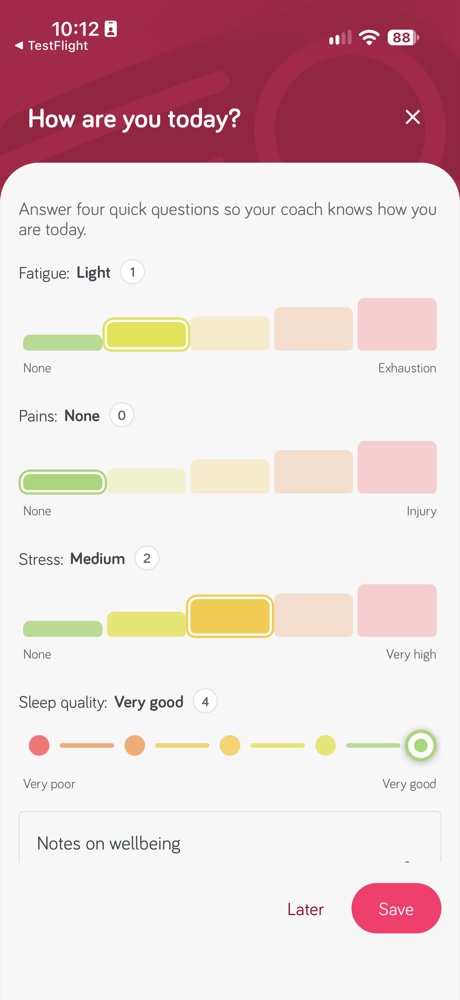
On the first app open of the day, in the browser or in the mobile app, a window titled How are you today? shows:
- the four questions, one tap each. Sleep quality is a slider with dots, the other three are bars. Nothing is selected in advance, so every answer is the athlete's own;
- Notes on wellbeing, for anything else, typed or dictated;
- Add more details, which opens the full health status form with the answers already filled in, for an emoji, sleep duration or measurements.
Saving needs all four answers. An athlete who closes the window after answering some of them is asked whether to discard the changes. Once answered, the check-in doesn't come back that day.
Where the answers go
Into that day's health status, next to whatever the watch sent. The athlete's sleep quality and stress are kept apart from the watch's sleep score and stress level, so neither overwrites the other, and you can see when the athlete and the watch disagree.
- On the calendar tile you see each answer above the best level, by name and in the colour of its bar, for example Fatigue: Big. A check-in with nothing to flag says No complaints.
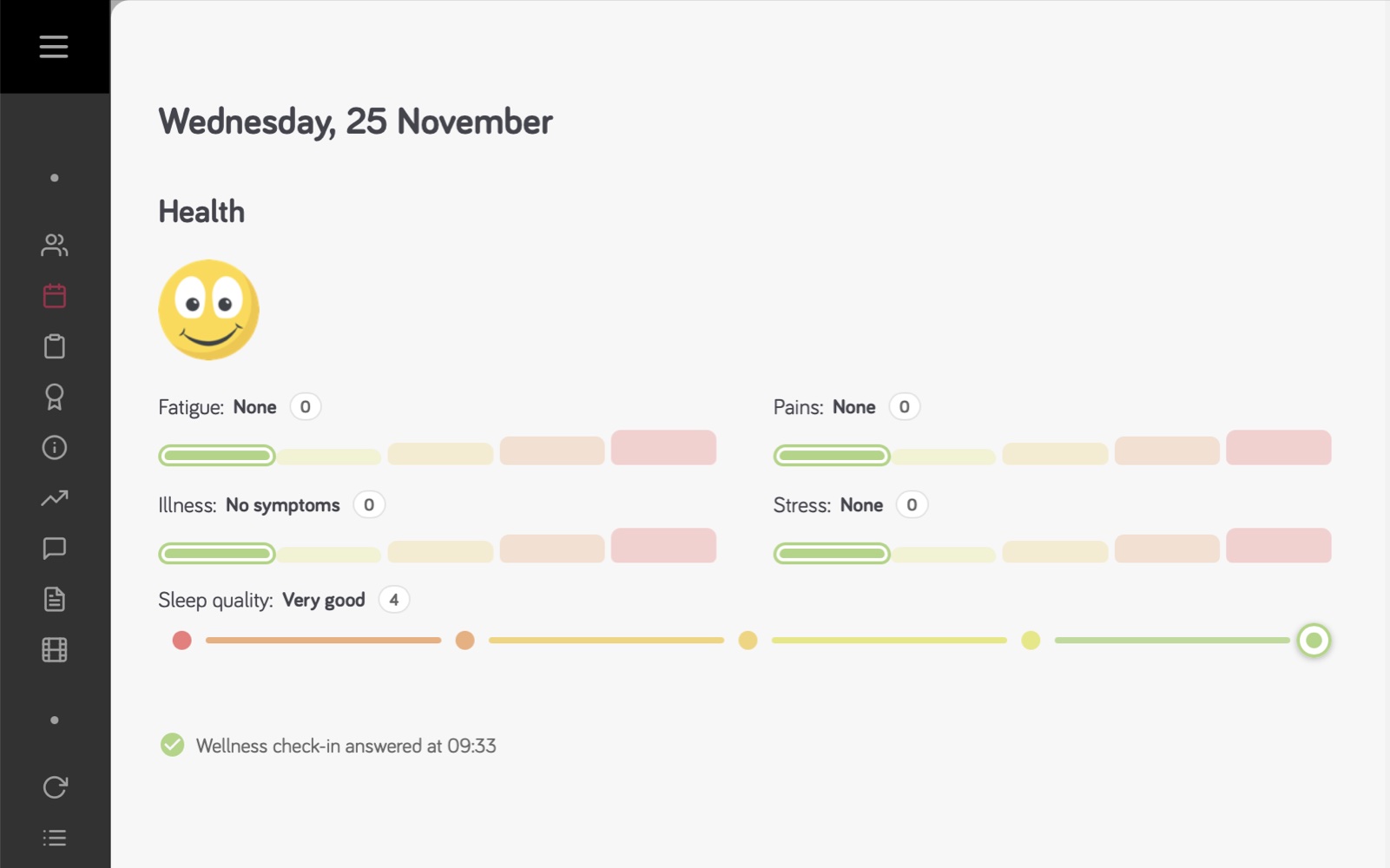
- In the health status you see the answers exactly as the athlete gave them and, at the bottom, when the check-in was answered.
- Answering all four questions in the full health status form counts as the day's check-in too.
- You don't get a notification for each check-in. With a whole team checking in every morning, that would bury the ones that matter.
Check-in and Readiness
Fatigue and Pains from the check-in count in Readiness exactly like the same answers entered in the health status form. Sleep quality and Stress are shown to you, but Readiness doesn't read them.