Exporting workouts to Apple
Enabling export to Apple
To export workouts, a connection to Health is required. More about the connection can be found here: Apple Connection Details.
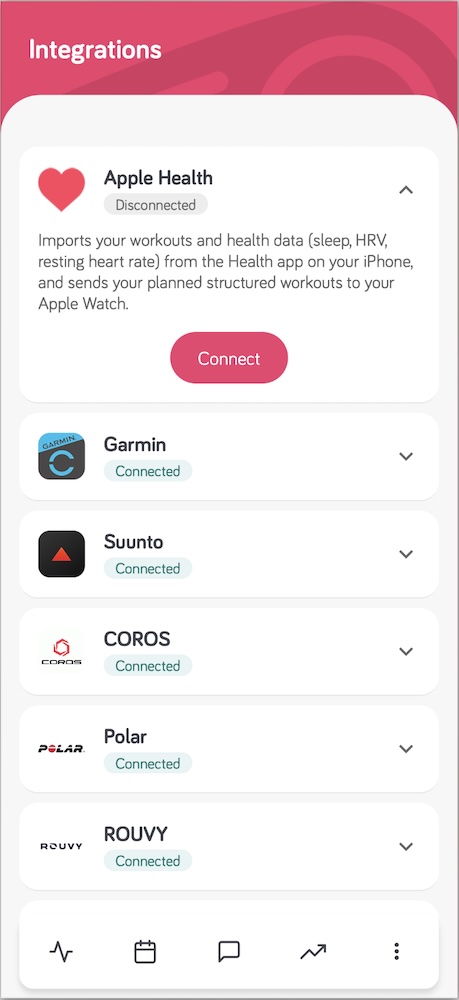
How does it work?
The application gives the athlete the ability to export a workout plan added by the coach to the Apple Watch as a Custom Workout available only on a given day.
Currently, only manual export of workouts to Apple Watch is available. This means that the athlete must open the workout in the Good Coach App and click the export to Apple Health button before starting the workout on the Apple Watch.

After exporting the workout to Apple Health, we will see it only on the Apple Watch as a Custom Workout. Apple will not show it in the Fitness app on the phone.
It is important that the activity sport selected when creating the training plan matches the type of workout started on the watch. Otherwise, the workout may not show up. For example, a strength workout will not show up if we start running.
In the Workout app on the Apple Watch, you need to scroll up through the workout types until you see the Good Coach App icon and the workout name.
By clicking the three dots next to the workout name, you can see the workout details before starting it.


After clicking on the workout, we will start it and it will begin to execute according to the instructions added by the coach in the Good Coach App.


If a given workout step is an open step, it will require manually moving to the next step (by double-clicking the screen or selecting Next). Otherwise, information about the completion of the current step, its basic statistics, and automatic transition to the next step after a few seconds will appear on the screen.
Custom workouts on Apple Watch contain an additional screen that displays information about the distance or time remaining to complete the step and other useful training data.
After completing the workout prepared by the coach, the watch continues the workout by adding another open segment.
Currently, it is not possible to update an exported workout to Apple Watch. If the coach changes the workout in the Good Coach App, you will need to re-export it to Apple Health before starting the workout on your watch, and it will appear as a new custom workout, with the previous one also visible. A warning will appear in the mobile app.
More about how Custom Workouts work on Apple Watch can be found on Apple's support page: Using Custom Workouts on Apple Watch.
How steps are converted
| In Good Coach App | On the Apple Watch |
|---|---|
| Sending | By hand, from the mobile app, before the workout |
| Sport types | All sport types - start the matching workout type on the watch |
| Duration: time, distance, calories | Sent as they are |
| Duration: until lap pressed (Open) | Open step - move on with a double tap or Next |
| Target: heart rate, pace, speed, cadence | Sent as they are |
| Target: power | Sent as it is. Power 3s, 10s and 30s are converted to standard power |
| Strength workouts | Simplified compared to Garmin, with the full workout information shown |
| Changes and deletions | Not applied automatically - export the workout again; the previous version stays on the watch too |
The interval workout editor shows a yellow label for each case that is not sent as built. Compare all platforms: Differences in exporting interval workouts.