Adding athletes
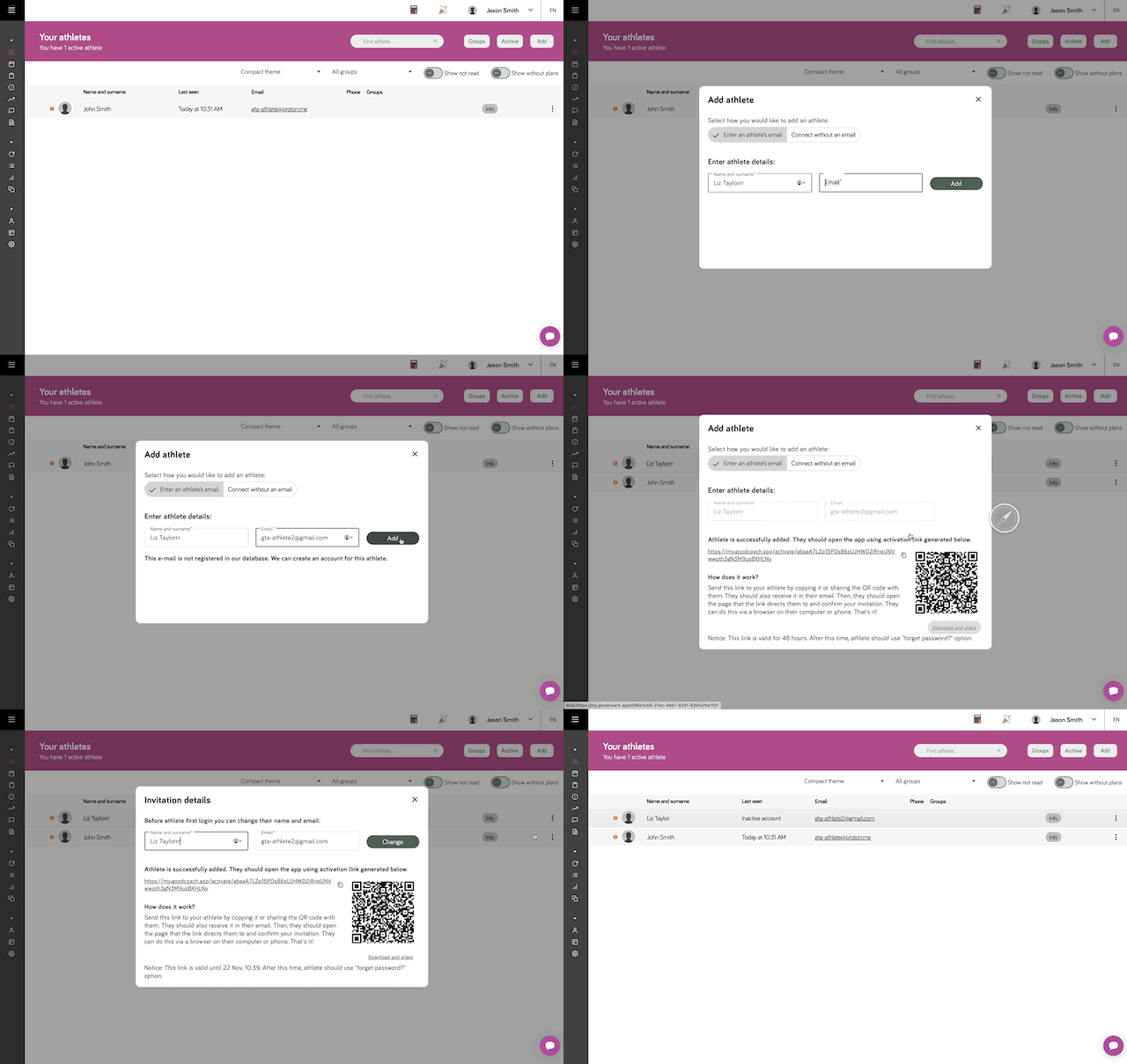
On the Athletes List screen, by clicking the "ADD" button (for the web app) or the "+" button (for the mobile app) you can invite a new athlete to the system. After opening the invitation dialog and entering the athlete's email, we will check their status to see if they already exist in the system or not yet.
Adding an athlete who doesn't exist in the system
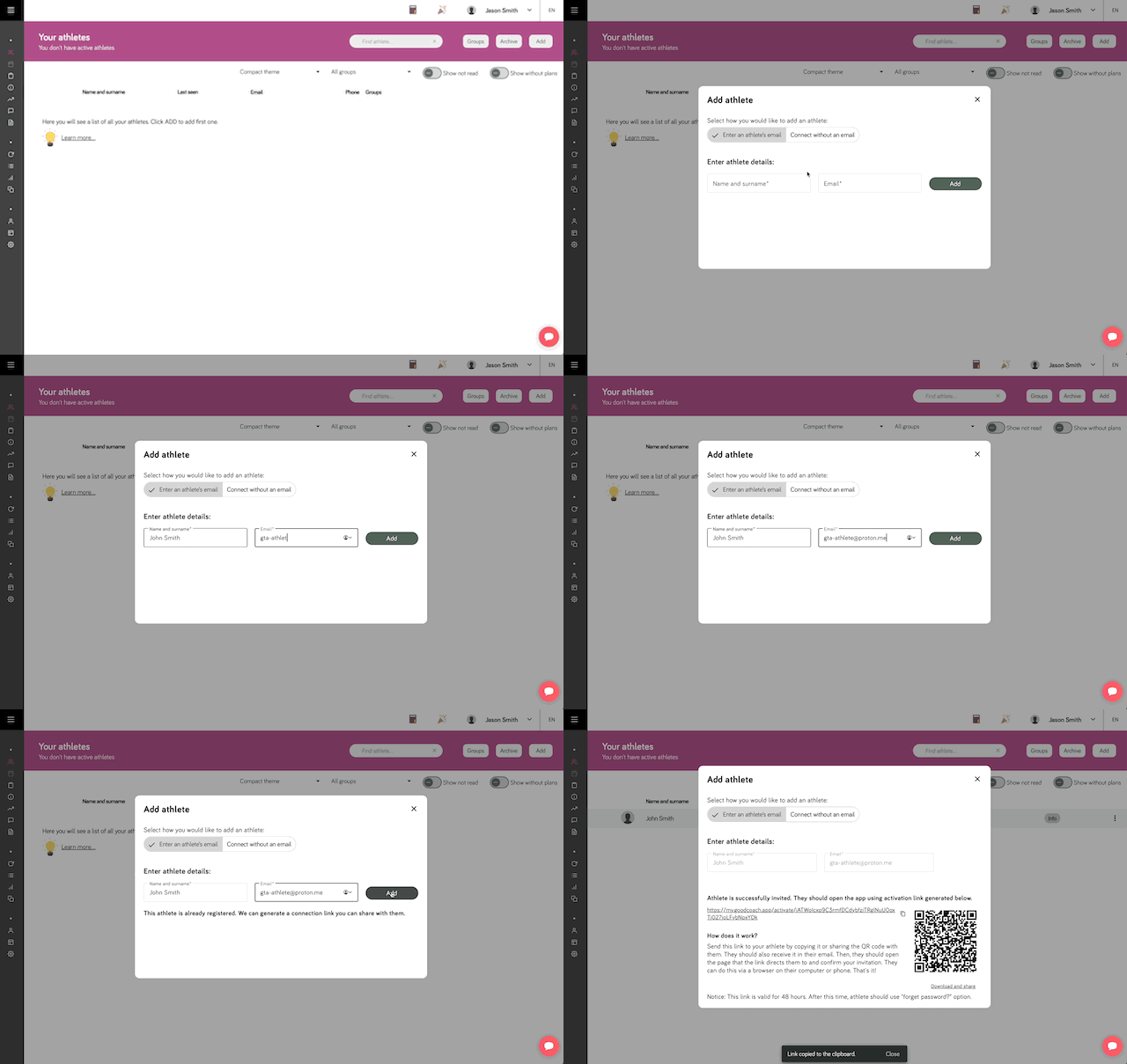
If you add an athlete to the application, we will create a new account for them and send them an email with a unique link leading to the account activation and coach connection page. All the information needed to activate the account is there. Just click the button.
The account activation page is personalized for your club and includes its name, your brand color, and the club logo (if added in Preferences, in club settings).
After activating the account, the athlete will need to set a password for the application, accept the terms and privacy policy of the Good Coach App system.
Finally, if the athlete opened the link on a mobile device, they will be taken to the Good Coach App mobile application (if installed). Otherwise, they can go to the Google Play or App Store.
Adding an athlete who exists in the system
If the athlete already exists in the system (for example, they registered earlier), and they registered no more than 7 days ago, the coach can add them to their list of athletes using the same athlete adding function. In this case, the athlete will be connected automatically and will receive an email informing them about the connection with the coach.
However, if the athlete registered more than 7 days ago, the coach can add them to their list of athletes, but the athlete will need to accept the invitation. They will receive the invitation via email, and you can also provide them with a unique invitation link or a QR code with that link.
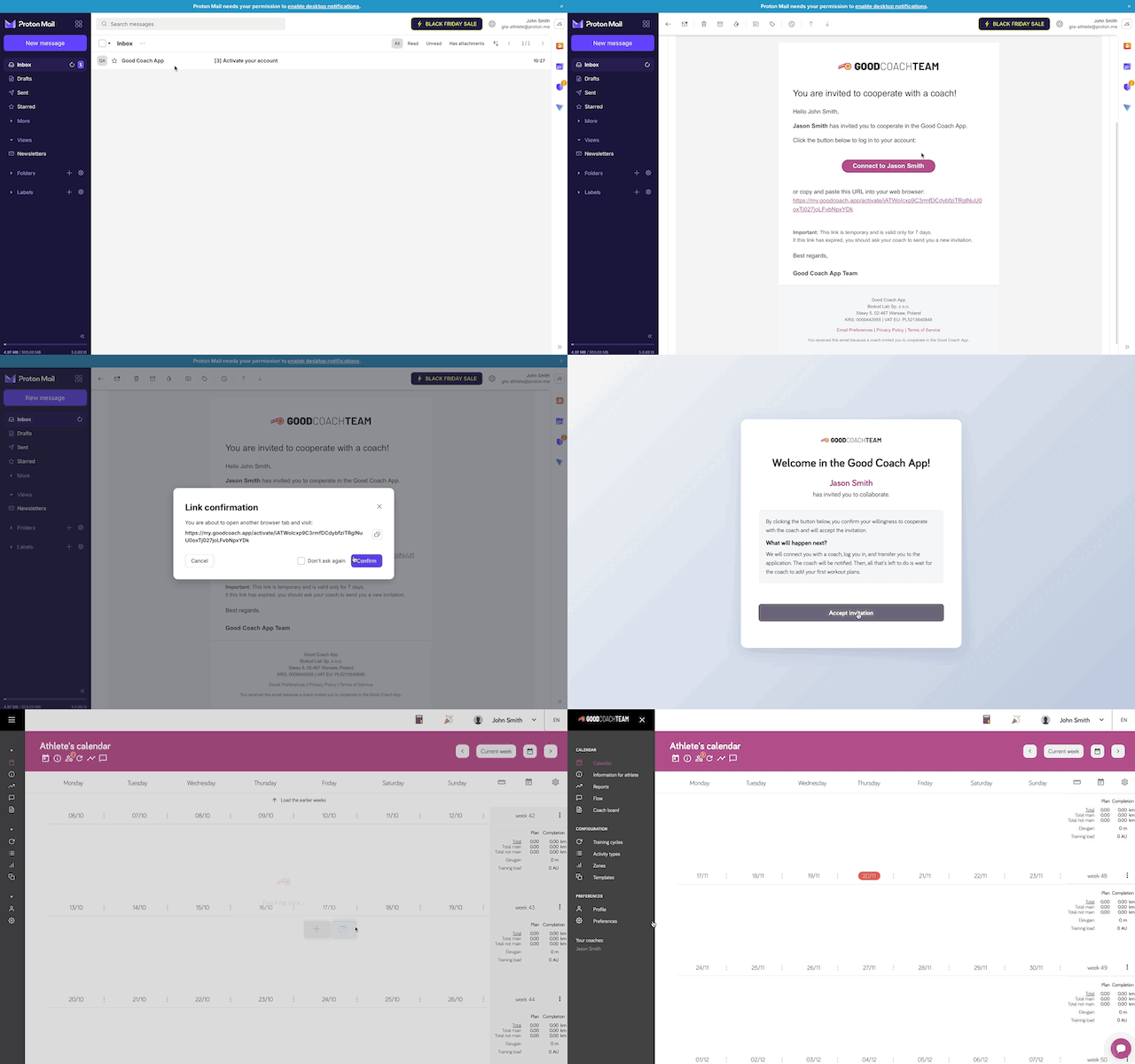
They can click the accept button in the invitation email. The invitation will also appear to them in the browser application, where they can accept it even if they haven't received the email.
Accepting the invitation by the athlete:
An existing athlete connecting with a coach provides the coach with all their past activities, while their notes become private.
Using the general link to invite athletes
You can also use the link connecting to the athlete invitation. This will allow the registration of a new athlete to proceed without the involvement of email messages. The athlete will only have to paste into their browser the unique link they received from the coach.
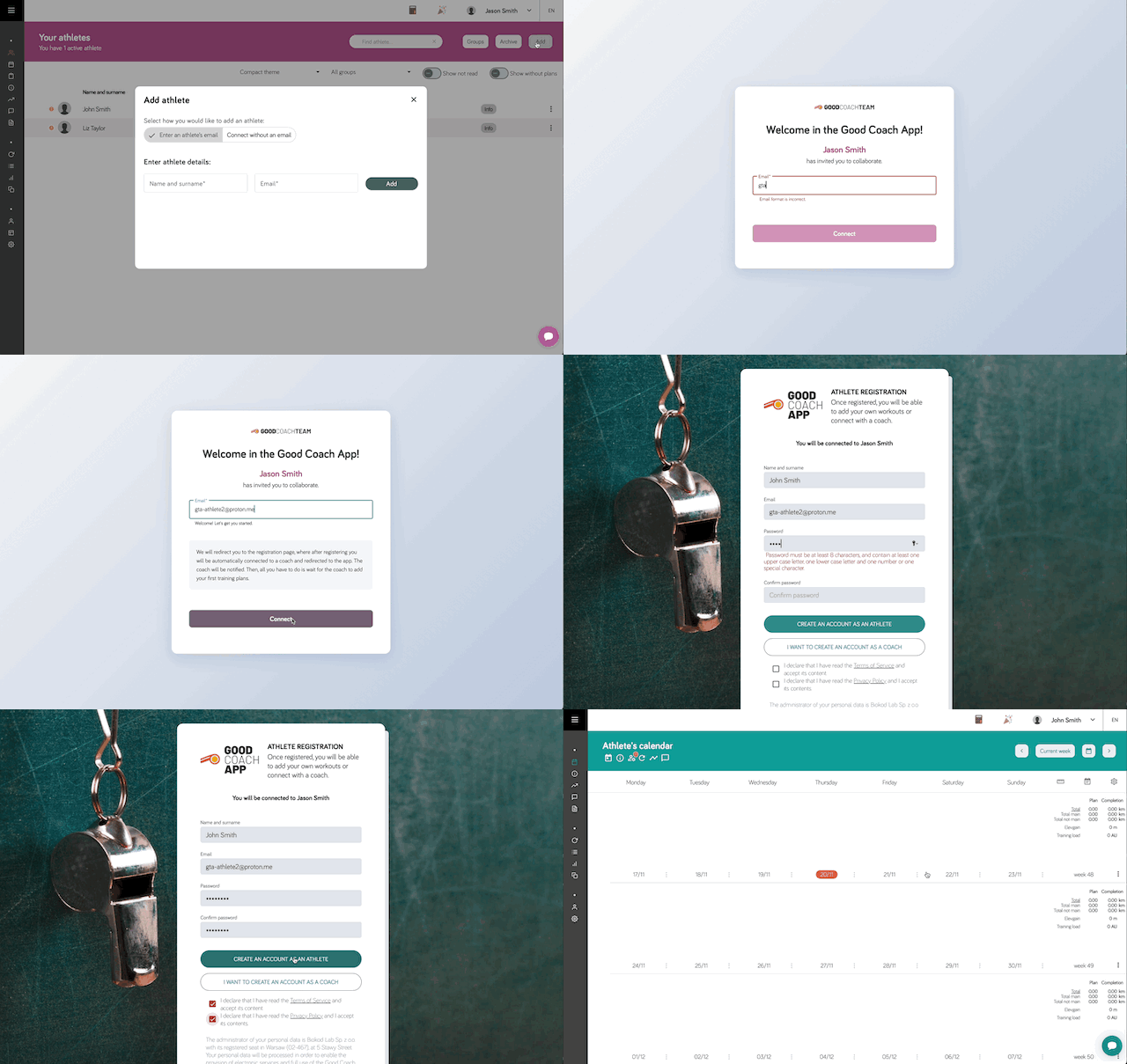
You will be able to track the account activation status on the athlete list. For an athlete with the status Invited or Inactive, the menu on the athlete list will show the "Invitation details" option, where you will also be able to copy the unique invitation link or QR code again.
In this window, you will also be able to change the athlete's first name, last name, and email (only for athletes with Inactive status).