How automatic connection works
You don't need this page for everyday use. It explains how the app decides, on its own, to connect a workout from your watch to the right workout plan — handy if something didn't connect the way you expected, and useful for coaches who want the details.
When a workout connects on its own
When you finish and sync a workout, the app looks at the day you did it and tries to find the workout plan it belongs to. It connects them automatically when all of these are true:
- the workout is at least two minutes long,
- there's exactly one workout plan that day with the same sport type that doesn't already have a device workout attached, and
- the coach hasn't turned automatic connection off.
A workout plan you quick-completed yourself — without attaching a file — still counts as a match. When your device workout syncs afterwards, it joins that plan automatically: your Feeling, Effort, and Comment are kept exactly as you entered them, and the device simply adds the detailed data (pace, heart rate, actual Duration, and so on).
Why a workout sometimes doesn't connect
- Two similar workout plans that day. If you have two workout plans with the same sport type on the same day, the app won't guess which one — it leaves the workout for you to connect by hand. A plan you've already marked done counts as one of those two, so the app stays out of it and lets you choose.
- Wrong sport on the watch. If the workout was started with the wrong sport selected, its sport type won't match your workout plan.
- A different day. If you did the workout on a different day than it was planned, it won't connect on its own.
- Too short. Workouts under two minutes are skipped on purpose, so an accidental tap of your watch doesn't grab one of your workout plans.
You have two workout plans that day — one running, one cycling. You go for a run. The app connects your run to the running workout plan.
You have two workout plans that day, both running. You go for a run. The app can't tell which one you meant, so it leaves the workout for you to connect by hand.
Automatic connection depends on each workout plan having an activity type with a correctly defined sport type. If the sport type is incorrect, your athletes' workouts won't connect on their own or will connect incorrectly.
Structured workouts connect more precisely
If you exported a structured workout (for example, one with intervals) to your watch, the device can tag the activity so the app connects it to the exact workout plan it came from — no guessing needed. This currently works with Garmin and Suunto.
Turning automatic connection off (coach setting)
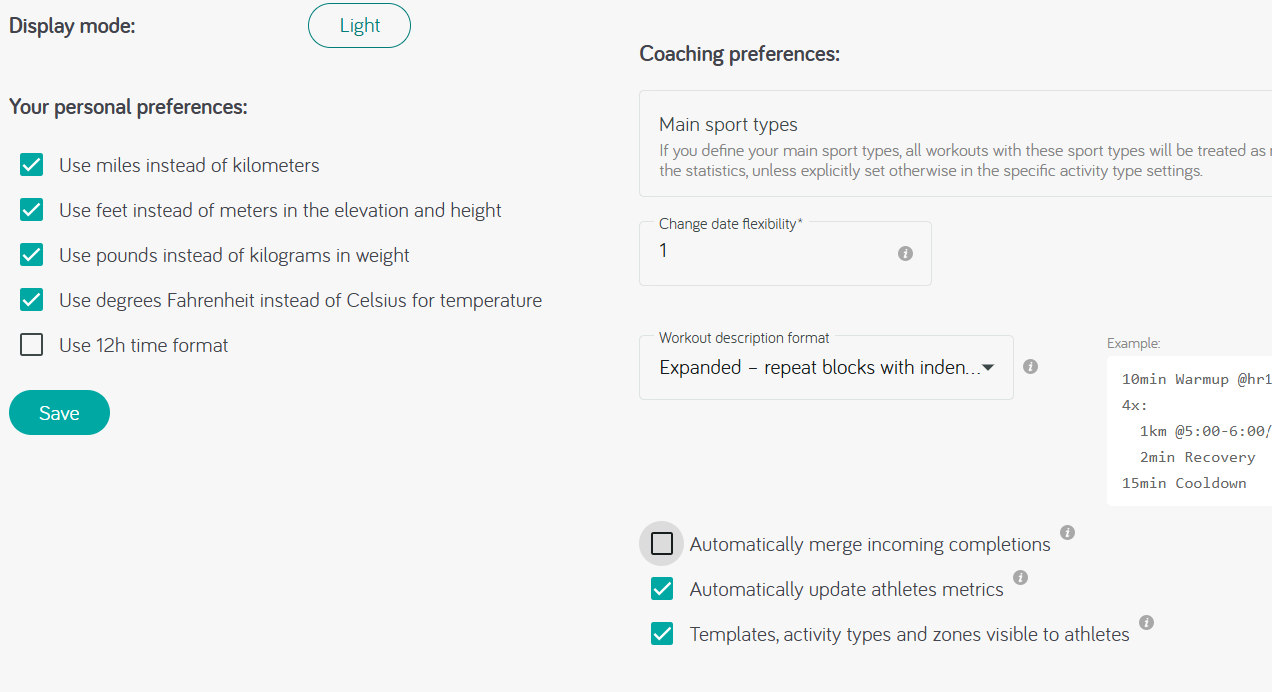
If you're a coach and you'd rather connect workouts yourself, open the Preferences screen and turn off Automatically merge incoming completion. Workouts from your athletes' devices will still appear in the calendar, but the app won't try to connect them.
When an athlete adds their own Feeling, Effort, or Comment to a workout, it stands out from a workout that only synced automatically. That makes it easy to see who's actively engaging with their training and who might need a check-in.